Apple CarPlay and Android Auto both make it easier to use a phone while driving, bringing navigation, music, messages and other apps to a compatible car display. But the two systems are not identical.
Apple has continued adding features to CarPlay, and some of them are still missing from Android Auto or work differently on Google’s platform. Here are five CarPlay features that currently stand out.
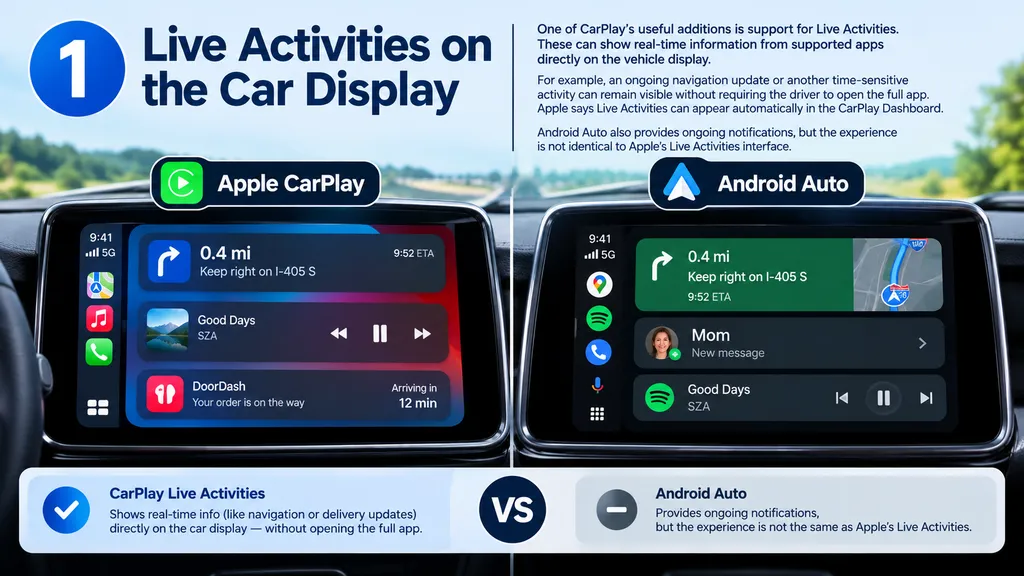
1. Live Activities on the Car Display
One of CarPlay’s useful additions is support for Live Activities. These can show real-time information from supported apps directly on the vehicle display.
For example, an ongoing navigation update or another time-sensitive activity can remain visible without requiring the driver to open the full app. Apple says Live Activities can appear automatically in the CarPlay Dashboard.
Android Auto also provides ongoing notifications, but the experience is not identical to Apple’s Live Activities interface.
For more on EV battery recycling, check out our guide on Recycled materials in new EV batteries.
2. Siri Can Describe Photos in Messages
CarPlay can do more than simply announce that a photo has arrived in a message.
When supported by Apple’s software, Siri can provide a description of an image received through Messages. That can be useful when someone receives a picture while driving because they can understand its basic content without immediately looking at their phone.
Android Auto can read messages and provide AI-powered assistance, but it does not currently provide the same photo-description experience described for CarPlay.
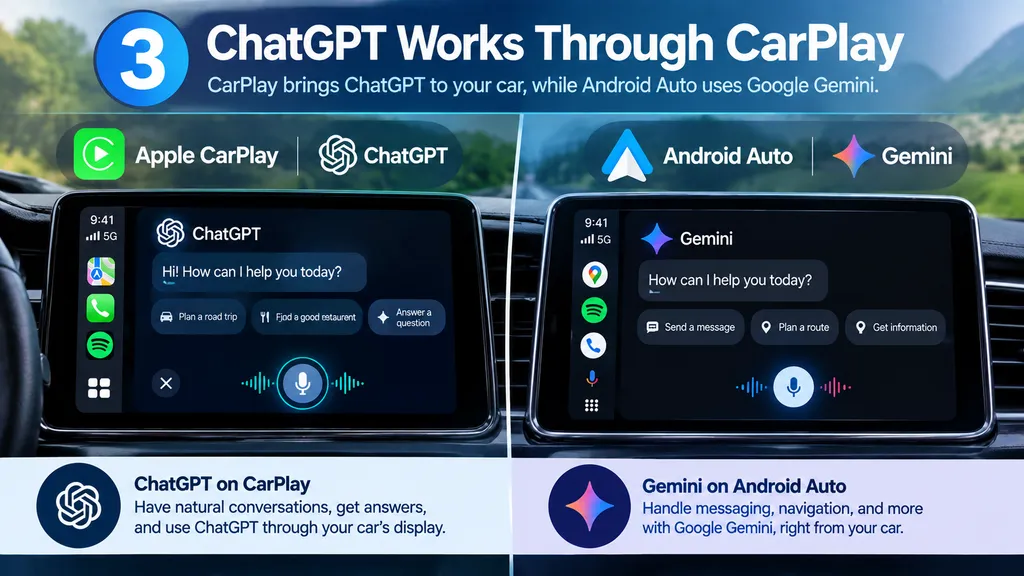
3. ChatGPT Works Through CarPlay
Another interesting difference is third-party AI support.
CarPlay can work with compatible conversational apps such as ChatGPT, allowing users to have a voice conversation with the AI through the vehicle interface. Apple also supports voice-based conversational apps through its CarPlay framework.
Android Auto is increasingly centered around Google Gemini. Google says Gemini can handle natural conversations, messaging, navigation help and other tasks directly through Android Auto.
4. Tapback Reactions From the Car
CarPlay also brings Tapback reactions to Messages. Instead of composing a complete reply, users can react to a message with a quick response such as an emoji or reaction.
Android Auto offers suggested replies that can be sent with a tap, but those are replies rather than the same type of reaction attached directly to the original message.
5. SharePlay Lets Passengers Join In
CarPlay also supports SharePlay for compatible experiences such as Apple Music. Passengers can participate using their own iPhones, making it easier for people in the car to contribute without repeatedly handing a phone to the driver.
Android users can achieve similar collaborative music experiences through individual apps such as Spotify, but that is different from having the functionality built into the CarPlay experience itself.
What This Means for Drivers
The differences between CarPlay and Android Auto are becoming more noticeable as both platforms add new features. CarPlay is leaning into Apple’s wider ecosystem, while Android Auto is expanding around Gemini, Google services and AI-powered assistance.
Neither platform has exactly the same feature set. The better fit depends largely on which phone and apps you already use.