Lenovo ThinkCentre is generally better for business environments, office productivity, and IT management, while Lenovo IdeaCentre is designed mainly for everyday computing, home use, and family needs. However, the best choice depends on the exact model, specifications, price, and how you plan to use your computer.
If you are comparing Lenovo ThinkCentre vs IdeaCentre, this guide explains their main differences, performance, features, upgrade options, and which desktop makes more sense for your needs.
What Is the Difference Between Lenovo ThinkCentre and IdeaCentre?
The main difference is their intended audience. ThinkCentre focuses on business computing, with features suited to professional workplaces, while IdeaCentre emphasizes everyday computing with flexible designs for homes and smaller offices.
Lenovo offers several configurations across both product families, so you should compare individual specifications instead of assuming that every ThinkCentre is more powerful than every IdeaCentre. Lenovo’s business desktop guide also highlights different desktop categories for different workloads.
Read more about Badseed Tech and Carpio to learn more about the latest technology developments.
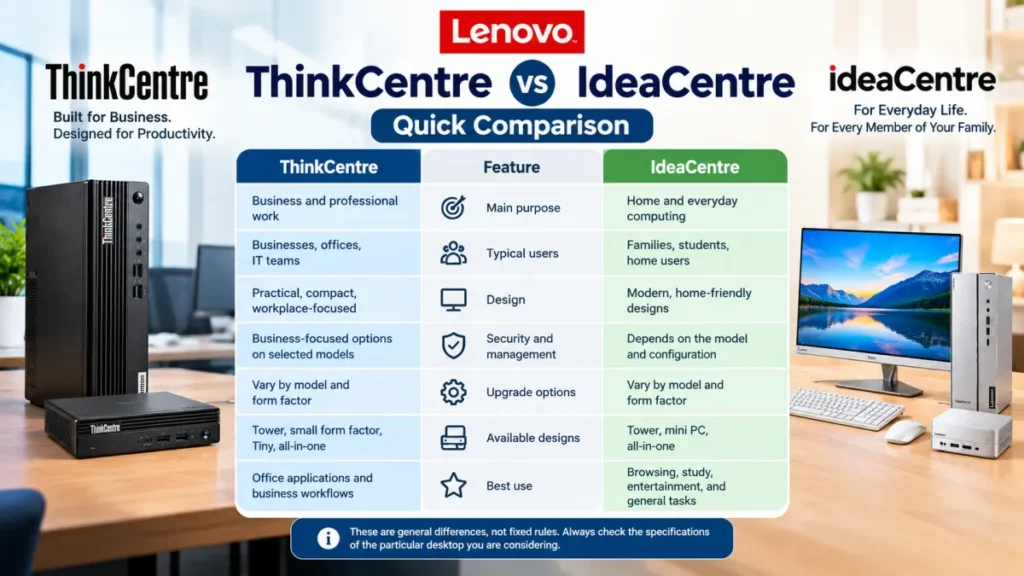
Lenovo ThinkCentre vs IdeaCentre: Quick Comparison
| Feature | Lenovo ThinkCentre | Lenovo IdeaCentre |
|---|---|---|
| Main purpose | Business and professional work | Home and everyday computing |
| Typical users | Businesses, offices, IT teams | Families, students, home users |
| Design | Practical, compact, workplace-focused | Modern, home-friendly designs |
| Security and management | Business-focused options on selected models | Depends on the model and configuration |
| Upgrade options | Vary by model and form factor | Vary by model and form factor |
| Available designs | Tower, small form factor, Tiny, all-in-one | Tower, mini PC, all-in-one |
| Best use | Office applications and business workflows | Browsing, study, entertainment, and general tasks |
These are general differences, not fixed rules. Always check the specifications of the particular desktop you are considering.
1. Performance: Which Desktop Is Faster?
Performance depends more on the processor, RAM, storage, and cooling system than on the product name alone.
ThinkCentre desktops are available with configurations designed for office multitasking, business applications, and professional workloads. Some models also offer business-oriented processor and management features.
IdeaCentre computers can handle everyday activities such as browsing, video calls, document editing, streaming, and light creative work. Higher-specification models may also provide enough power for demanding multitasking.
For most users, 16GB of RAM and an SSD are sensible starting points for a responsive desktop experience. If you regularly edit videos, work with large files, or run demanding applications, check the processor and graphics capabilities carefully.
Verdict: Neither series is automatically faster. Compare the exact processor, memory, storage, and graphics before deciding.
2. Business Use: Is ThinkCentre the Better Choice?
ThinkCentre is usually the more suitable option for companies that need desktops for employees, shared workstations, or centrally managed office systems.
Selected models provide business-focused security, deployment, and management features. Depending on the configuration, these can help IT teams maintain devices across an organization.
ThinkCentre desktops are also available in compact formats, which can be useful when desk space is limited. Tower models may be more appropriate when additional expansion capacity is important.
IdeaCentre can still work well in a small business, particularly for basic office applications, reception desks, and home offices. The important consideration is whether its features match your organization’s security, support, and management requirements. For more information, read this external guide on Badseed Tech and Carpio.
3. Home Use: Why Choose IdeaCentre?
For everyday home computing, IdeaCentre is often a practical choice.
It can suit students attending online classes, families sharing a computer, and people who mainly browse the internet, manage documents, watch videos, or make video calls.
IdeaCentre all-in-one models combine the computer and display in one unit. This reduces desk clutter and can make installation simpler. Traditional tower models offer a different setup for people who already own a monitor or prefer separate components.
ThinkCentre can also be a good home computer, especially for remote work or users who prefer business-oriented hardware. Your intended use matters more than the label.
4. Design, Size, and Upgrade Options
Both product families include different desktop formats, but the available choices depend on the model.
ThinkCentre includes Tiny mini PCs, small-form-factor systems, traditional towers, and all-in-one computers. Compact models fit neatly into crowded workspaces, while towers generally provide more room for certain upgrades.
IdeaCentre also offers tower, mini PC, and all-in-one designs. An all-in-one is convenient if you want a tidy desk, whereas a tower may be preferable if you want a separate monitor and easier access to compatible components.
Before purchasing, check whether the RAM, storage drive, graphics hardware, and other components can be upgraded. Small computers and all-in-one systems may offer fewer options than conventional towers.
5. Price and Value for Money
There is no universal price winner between ThinkCentre and IdeaCentre. Pricing changes with the processor, memory, storage, display, warranty, and generation.
An entry-level IdeaCentre may provide excellent value for everyday home tasks. A ThinkCentre may justify its cost when business management, security features, or workplace support requirements are important.
Compare the total cost rather than the initial price alone. Consider the included warranty, upgrade costs, required accessories, and expected lifespan.
A less expensive desktop is not necessarily better value if it lacks the performance or features you need.
Lenovo ThinkCentre vs IdeaCentre: Which One Should You Buy?
Choose Lenovo ThinkCentre if you need a desktop primarily for professional work, business operations, or an environment where device management and security are important.
Choose Lenovo IdeaCentre if you want a computer for home use, studying, entertainment, everyday office tasks, or a clean all-in-one setup.
If you are buying for a small business, either series may be suitable. Compare the specific models, available support, and hardware before making your decision.
Frequently Asked Questions
Is Lenovo ThinkCentre better than IdeaCentre?
ThinkCentre is generally better suited to business environments, while IdeaCentre is often a good fit for home computing. Neither series is universally better because specifications and features vary by model.
Can I use Lenovo IdeaCentre for business?
Yes. IdeaCentre computers can handle everyday office applications, video meetings, and routine business tasks. Check the specific model if your workplace requires advanced security or centralized device management.
Is Lenovo ThinkCentre good for home use?
Yes. ThinkCentre desktops can work well for remote employees, students, and home users who need a reliable computer for everyday tasks.
Which Lenovo desktop is easier to upgrade?
Traditional tower models from either series may offer more upgrade flexibility than compact mini PCs or all-in-one computers. Check the exact model’s hardware documentation before purchasing.
Final Thoughts
The choice between Lenovo ThinkCentre and IdeaCentre comes down to your priorities. ThinkCentre generally makes more sense for business-focused computing, while IdeaCentre suits many everyday home and personal tasks.
Before buying, compare the processor, RAM, SSD capacity, available ports, upgrade options, warranty, and price. Choosing the right configuration will matter more than choosing a product family based on its name alone.
Pingback: Budget Tech: How to Find Affordable Gadgets Without Overspending